
Kyocera ECOSYS M2040dn errors C2000 and C2010: main motor error
Applies to: Kyocera ECOSYS M2040dn, Kyocera ECOSYS M2135dn, Kyocera ECOSYS M2635dn, Kyocera ECOSYS M2635dw, Kyocera ECOSYS M2735dw, Kyocera ECOSYS M2540dn, Kyocera ECOSYS M2540dw, Kyocera ECOSYS M2640idw
Codes covered on this page: C2000, C2010
Quick answer
Kyocera ECOSYS M2040dn errors C2000 and C2010 are main motor errors: the motor's ready signal drops while running (C2000) or never comes on at start-up (C2010). The first cause the manual lists is a locked drum unit putting extra load on the motor drive. A technician checks whether the drum turns freely by hand.
What does C2000 mean?
The main motor drives the drum unit and other parts and sends a ready signal when it runs at speed. C2000 appears if that signal goes off for 1 second after the motor has settled, and C2010 if it has not come on 2 seconds after the motor starts. Both codes share the same checks, from the drum unit to the main/engine PWB. The same code and the same checks apply to the ECOSYS M2135dn, M2635dn, M2635dw, M2735dw, M2540dn, M2540dw and M2640idw, because Kyocera covers all of them in one service manual.
What causes C2000?
Drum unit locked up
A stuck drum unit puts extra load on the main motor drive.
Loose connector or damaged wire
The lead from the main motor to the main/engine PWB (YC9) is not making good contact.
Drive parts not turning smoothly
The coupling or gears in the main motor drive section are stiff or broken.
Faulty main motor
The motor itself has failed.
Faulty main/engine PWB
The main control board is at fault. The manual lists this last.
What can you check yourself?
- 1
Switch off and on
Turn the printer off, remove the plug, wait at least 5 seconds, then plug in and switch on again.
- 2
If the code returns
Leave the printer off and call a technician. The drum, gears and motor checks are inside the machine.
Steps for a technician
- 1
Check the drum unit
Turn the drum by hand. If it is locked and does not turn smoothly, fit a new drum unit.
- 2
Check the motor lead
Clean the contacts and refit the connectors between the main motor and the main/engine PWB (YC9). If the wire has no continuity, fit a new wire.
- 3
Check the drive parts
If the coupling and gears in the main motor drive section do not turn smoothly, clean the gears and grease them. Replace a broken coupling or gear.
- 4
Replace the main motor
If the code stays, fit a new main motor.
- 5
Replace the main/engine PWB
As the final step, fit a new main/engine PWB.
Parts for this error
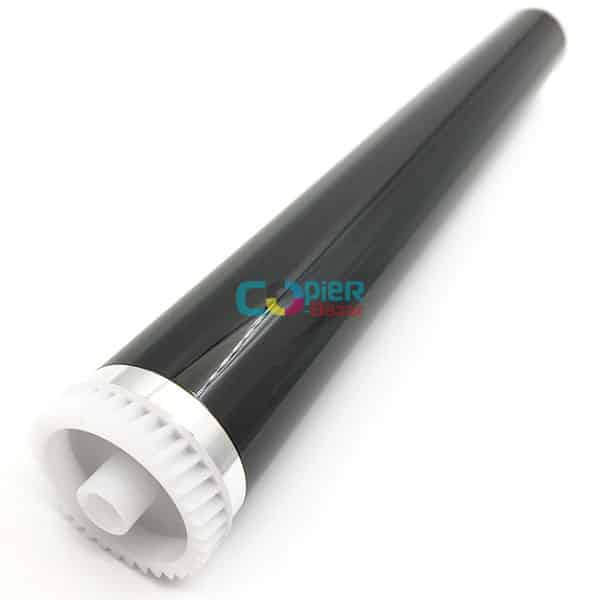
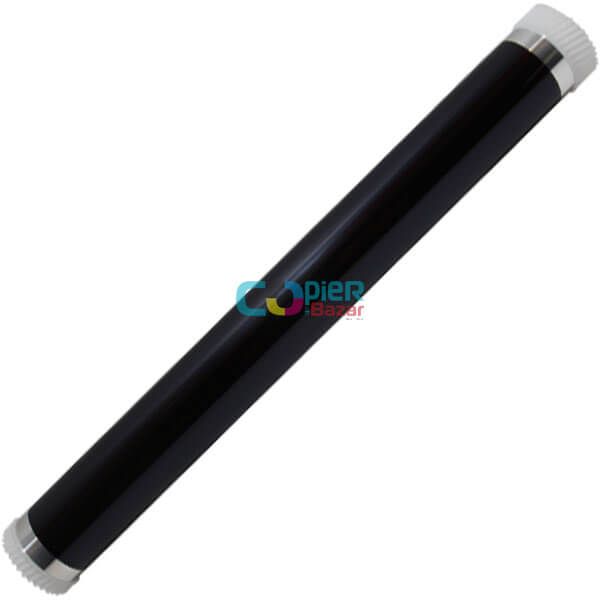
Drum (DK-1150 drum unit parts)
Only if the drum does not turn smoothly by hand in step 1. The manual replaces the complete drum unit DK-1150. The drum listed as "Drum" is the photoconductor drum alone, which a technician fits into your existing unit. Ask us on WhatsApp if you need the complete unit.
When should you call a technician?
Call a technician if C2000 or C2010 comes back after a power reset. The checks involve the drum unit, the drive gears and the main motor.
Questions people ask
- What does error C2000 mean on a Kyocera M2040dn?
- On a Kyocera ECOSYS M2040dn, C2000 is a main motor steady state error. The motor's ready signal went off for 1 second after the motor had become stable.
- What is Kyocera C2010?
- C2010 is a main motor startup error. The motor's ready signal did not come on within 2 seconds of the motor starting. Its checks are the same as for C2000.
- Can a bad drum unit cause Kyocera C2000?
- Yes. The Kyocera service manual's first check is whether the drum unit turns smoothly by hand, because a locked drum overloads the main motor drive.
- Does Kyocera C2000 always need a new main motor?
- No. The manual checks the drum unit, the motor wiring and the drive gears before it replaces the main motor.