
Kyocera ECOSYS M2040dn error C6200: fuser edge thermistor error
Applies to: Kyocera ECOSYS M2040dn, Kyocera ECOSYS M2135dn, Kyocera ECOSYS M2635dn, Kyocera ECOSYS M2635dw, Kyocera ECOSYS M2735dw, Kyocera ECOSYS M2540dn, Kyocera ECOSYS M2540dw, Kyocera ECOSYS M2640idw
Quick answer
Kyocera ECOSYS M2040dn error C6200 means the edge thermistor at the end of the fuser did not warm up within the expected time. The first thing the manual checks is whether the fuser unit is fully pushed in so its connector is seated. This needs a technician, because the fuser is screwed in, mains-powered and hot.
What does C6200 mean?
The fuser edge thermistor is a temperature sensor inside the fuser unit that reads the edge of the heat roller. During warm-up, C6200 appears if this sensor has not reached 60°C/140°F after 30 seconds of non-stop heating, or has not reached print-ready temperature 20 seconds after passing 60°C/140°F. The same code and the same checks apply to the ECOSYS M2135dn, M2635dn, M2635dw, M2735dw, M2540dn, M2540dw and M2640idw, because Kyocera covers all of them in one service manual.
What causes C6200?
Fuser unit not fully seated
The connector at the back of the fuser unit is not pushed fully home, so the sensor signal does not reach the board.
Loose fuser connector or damaged wire
The lead from the fuser unit to the main/engine PWB (YC19) is not making good contact.
Faulty edge thermistor
The thermistor cannot read the temperature correctly. It is part of the fuser unit, so the manual's fix is a new fuser unit.
Loose power board connector or damaged wire
The lead from the low voltage PWB (YC103) to the main/engine PWB (YC20) is not making good contact.
Low voltage PWB fault
The low voltage power supply board is faulty.
Main/engine PWB fault
The main control board is faulty. The manual lists this last.
What can you check yourself?
- 1
Switch off and unplug
Turn the printer off, remove the plug from the wall socket and note the code for your technician.
- 2
Leave the fuser alone
Do not try to pull out or refit the fuser unit yourself. It is held by screws behind covers and can be very hot.
Steps for a technician
- 1
Refit the fuser unit
Reinstall the fuser unit so that its drawer connector locks in firmly.
- 2
Check the fuser connection
Clean the contacts and refit the connector between the fuser unit and the main/engine PWB (YC19). If a wire has no continuity, fit a new wire.
- 3
Replace the fuser unit
If the code remains, the edge thermistor is taken as faulty. Fit a new fuser unit.
- 4
Check the power board connection
Clean the contacts and refit the connector between the low voltage PWB (YC103) and the main/engine PWB (YC20). Replace the wire if it has no continuity.
- 5
Replace the low voltage PWB
If the code still shows, fit a new low voltage PWB.
- 6
Replace the main/engine PWB
As the final step, fit a new main/engine PWB.
Parts for this error
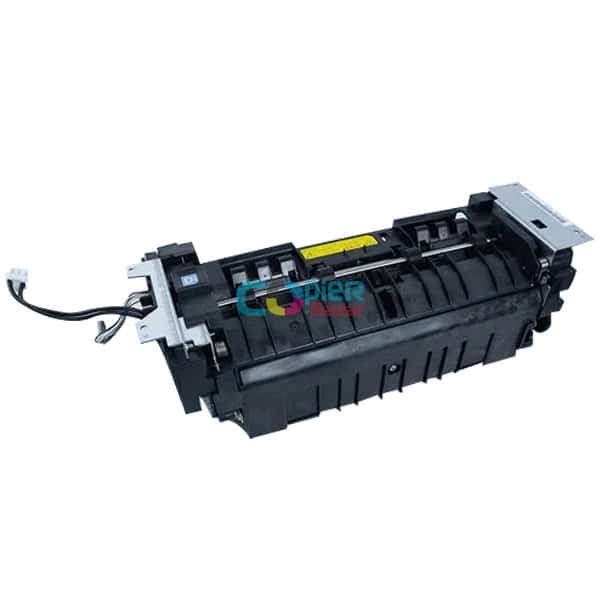
Fuser unit
Only if steps 1 and 2 do not clear C6200. The edge thermistor is built into the fuser unit, and the manual's measure at step 3 is a complete fuser unit.
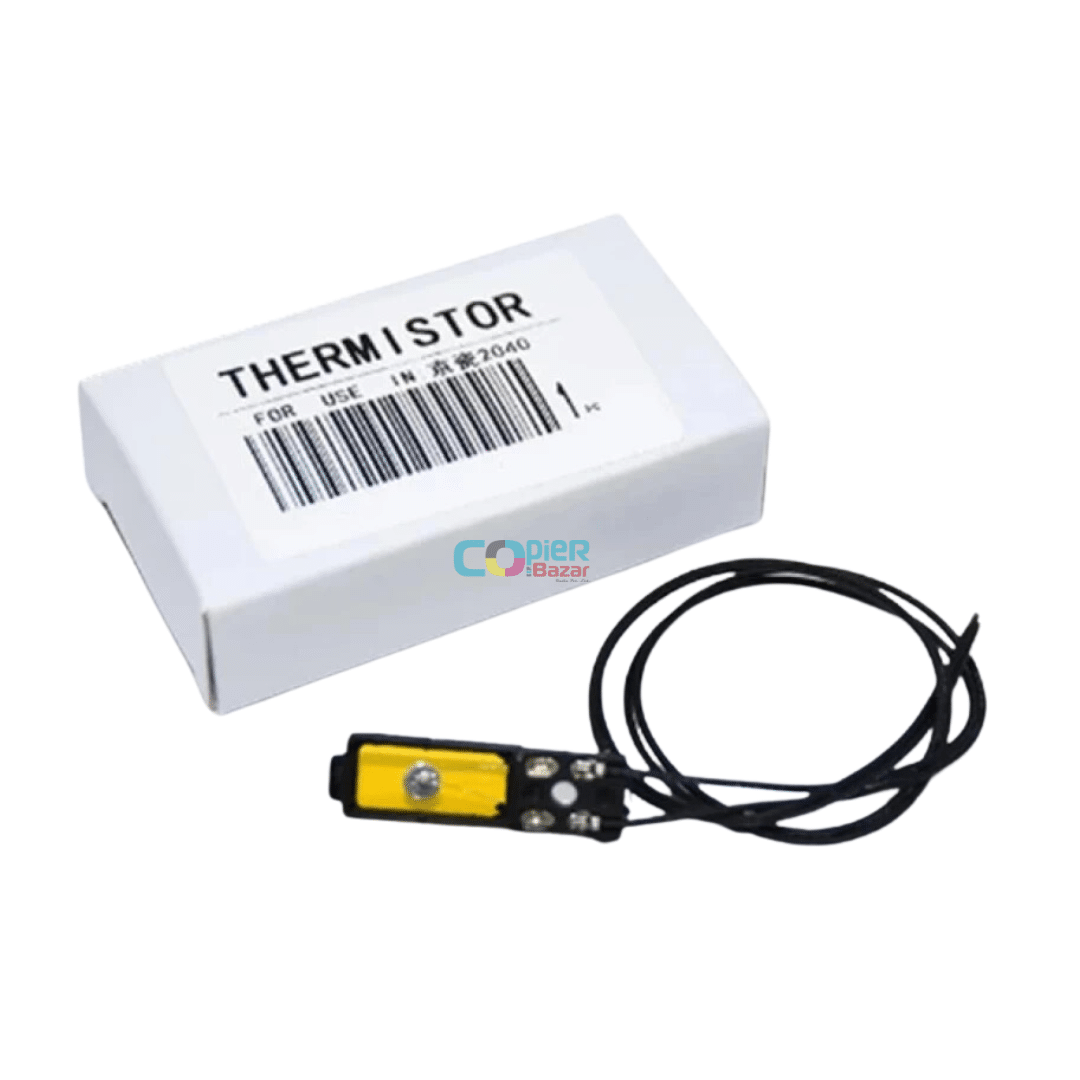
Fuser thermistor
Only if the step 3 check points to the edge thermistor. This is the fuser thermistor sold on its own, so a technician can replace just the sensor. Kyocera's own measure is the full fuser unit.
When should you call a technician?
Call a technician as soon as C6200 appears. Every check for this code involves taking out the fuser unit or working on wiring and boards.
Questions people ask
- What does error C6200 mean on a Kyocera M2040dn?
- On a Kyocera ECOSYS M2040dn, C6200 means the fuser edge thermistor did not warm up within the expected time during warm-up. The printer stops until the fault is fixed.
- How do I fix Kyocera C6200?
- A technician first refits the fuser unit so its connector seats fully, then checks the fuser wiring to the main/engine PWB. If the code stays, the Kyocera service manual says to fit a new fuser unit, then check the power board wiring and boards.
- Where is the edge thermistor on a Kyocera M2040dn?
- The fuser edge thermistor is inside the fuser unit and reads the temperature at the edge of the heat roller. Kyocera does not list it as a separate service part, so its manual replaces the whole fuser unit.
- Is Kyocera C6200 the same as C6000?
- No. C6200 comes from the fuser edge thermistor, while C6000 comes from the thermopile reading during warm-up. Both are fuser heating faults and both can lead to a new fuser unit.
Related codes
- C6220: Fuser edge thermistor high temperature error
- C6230: Broken fuser edge thermistor
- C6250: Fuser edge thermistor low temperature error
- C6000: Broken fuser heater