
Kyocera ECOSYS M2040dn error C6220, C6230 or C6250: fuser edge thermistor
Applies to: Kyocera ECOSYS M2040dn, Kyocera ECOSYS M2135dn, Kyocera ECOSYS M2635dn, Kyocera ECOSYS M2635dw, Kyocera ECOSYS M2735dw, Kyocera ECOSYS M2540dn, Kyocera ECOSYS M2540dw, Kyocera ECOSYS M2640idw
Codes covered on this page: C6220, C6230, C6250
Quick answer
Kyocera ECOSYS M2040dn errors C6220, C6230 and C6250 come from the fuser edge thermistor, the sensor that reads the edge of the heat roller. It read too hot, gave a broken signal, or read too cool. The first check is that the fuser unit is fully seated. Switch off, unplug and call a technician.
What does C6220 mean?
C6220 appears if the edge thermistor reads 240°C/464°F or more with the drive stopped, or 255°C/491°F or more while running. C6230 appears when its signal (AD value) is abnormal. C6250 appears if it reads below 60°C/140°F for 3 seconds or more during printing. The manual uses the same six checks for all three, so they share this page. The same code and the same checks apply to the ECOSYS M2135dn, M2635dn, M2635dw, M2735dw, M2540dn, M2540dw and M2640idw, because Kyocera covers all of them in one service manual.
What causes C6220?
Fuser unit not fully seated
The drawer connector of the fuser unit is not pushed fully home.
Loose fuser connector or damaged wire
The lead from the fuser unit to the main/engine PWB (YC19) is not making good contact.
Faulty edge thermistor
The thermistor cannot read the right temperature. It is part of the fuser unit, so the manual's fix is a new fuser unit.
Loose power board connector or damaged wire
The lead from the low voltage PWB (YC103) to the main/engine PWB (YC20) is not making good contact.
Low voltage PWB fault
The low voltage power supply board is faulty.
Main/engine PWB fault
The main control board is faulty. The manual lists this last.
What can you check yourself?
- 1
Switch off and unplug
Turn the printer off, remove the plug from the wall socket and note the exact code for your technician.
- 2
Leave the fuser alone
Do not try to pull out or refit the fuser unit yourself. It is held behind covers and can be very hot.
Steps for a technician
- 1
Refit the fuser unit
Reinstall the fuser unit so that its drawer connector locks in firmly.
- 2
Check the fuser connection
Clean the contacts and refit the connector between the fuser unit and the main/engine PWB (YC19). Fit a new wire if there is no continuity.
- 3
Replace the fuser unit
If the code stays, the edge thermistor is faulty. Fit a new fuser unit.
- 4
Check the power board connection
Clean the contacts and refit the connector between the low voltage PWB (YC103) and the main/engine PWB (YC20). Fit a new wire if there is no continuity.
- 5
Replace the low voltage PWB
If the code is still there, fit a new low voltage PWB.
- 6
Replace the main/engine PWB
As the final step, fit a new main/engine PWB.
Parts for this error
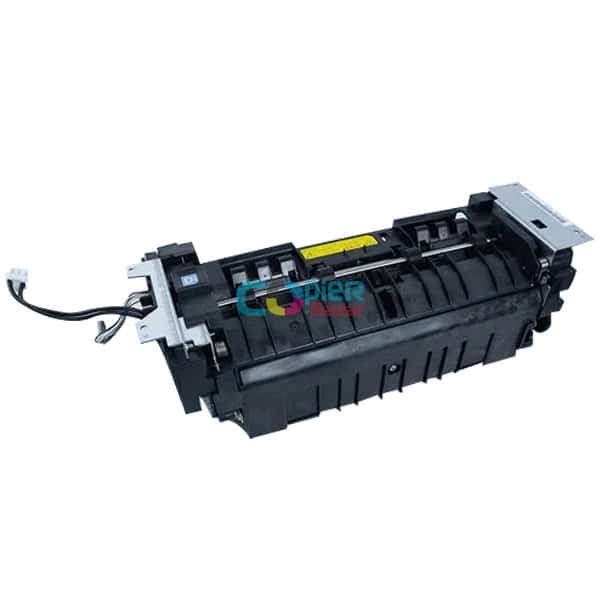
Fuser unit
Only if steps 1 and 2 do not clear the code. The edge thermistor is built into the fuser unit, and the manual's measure at step 3 is a complete fuser unit.
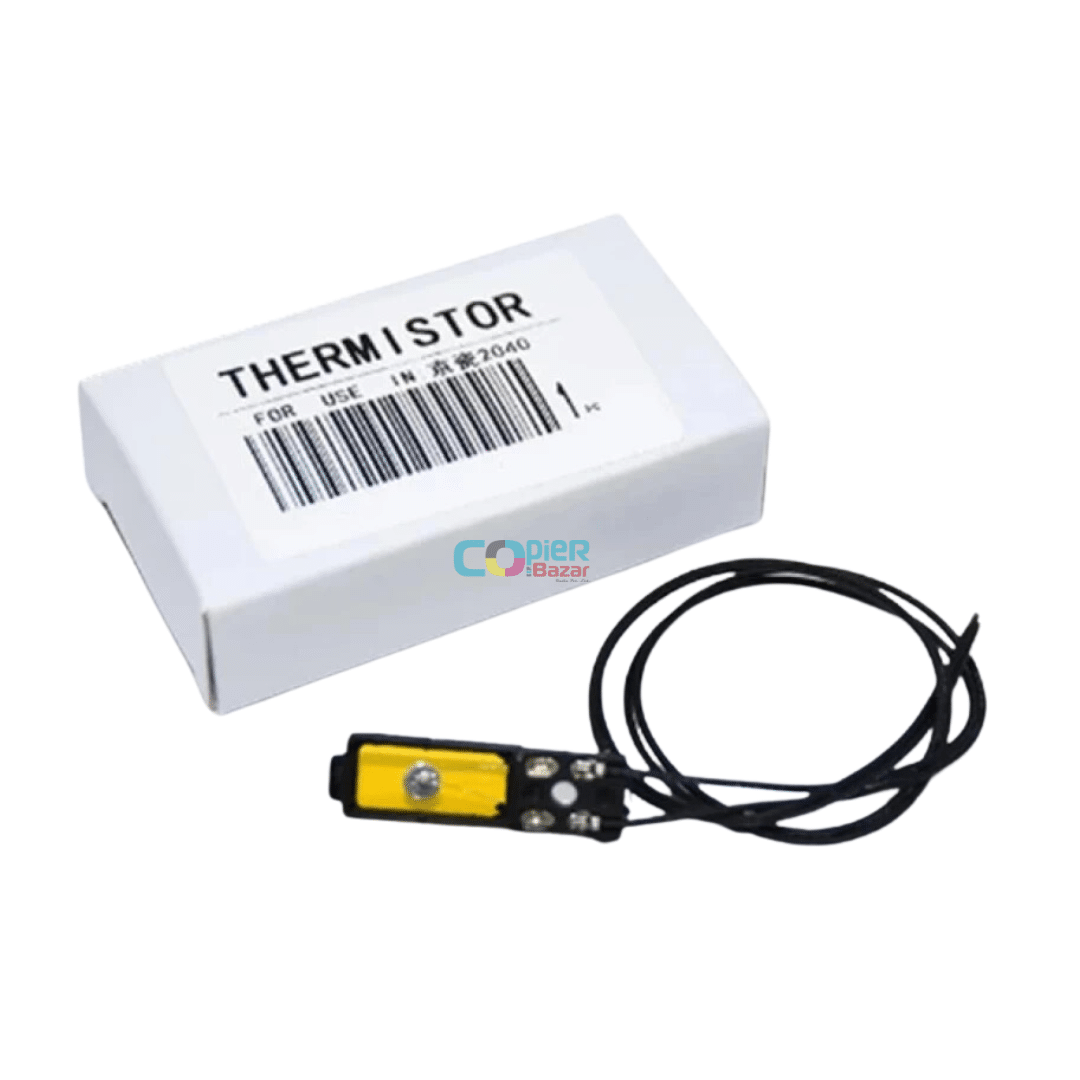
Fuser thermistor
Only if the step 3 check points to the edge thermistor. This is the fuser thermistor sold on its own, so a technician can replace just the sensor. Kyocera's own measure is the full fuser unit.
When should you call a technician?
Call a technician as soon as any of these codes appears. Every check involves taking out the fuser unit or working on the wiring and boards.
Questions people ask
- What does C6220 mean on a Kyocera M2040dn?
- On a Kyocera ECOSYS M2040dn, C6220 is a fuser edge thermistor high temperature error. The sensor read 240°C/464°F or more with the drive stopped, or 255°C/491°F or more while running.
- What is the difference between Kyocera C6220, C6230 and C6250?
- C6220 means the edge thermistor read too hot, C6230 means its signal is abnormal (broken thermistor), and C6250 means it read below 60°C/140°F for 3 seconds while printing. The manual fixes all three the same way.
- Do I need a new fuser unit for Kyocera C6230?
- Possibly. The Kyocera manual first refits the fuser unit and checks its connector at YC19, and only then fits a new fuser unit, because the edge thermistor is inside it.
- Is Kyocera C6250 the same as C6050?
- No. C6250 comes from the fuser edge thermistor in the fuser unit, while C6050 comes from the thermopile that reads the fuser belt. They have different checks.