
Kyocera ECOSYS M2040dn paper comes out creased or wrinkled
Applies to: Kyocera ECOSYS M2040dn, Kyocera ECOSYS M2135dn, Kyocera ECOSYS M2635dn, Kyocera ECOSYS M2635dw, Kyocera ECOSYS M2735dw, Kyocera ECOSYS M2540dn, Kyocera ECOSYS M2540dw, Kyocera ECOSYS M2640idw
Quick answer
Creased or wrinkled pages from a Kyocera ECOSYS M2040dn usually start with the paper itself. Set the cassette or MP tray guides to the paper size, and replace curled, wavy or damp paper with dry paper. If creases continue, a technician checks the registration roller pressure springs and then the pressure balance of the fuser unit.
What is happening?
A crease forms when the sheet is pushed unevenly as it travels. Kyocera checks the paper guides and the paper condition first, then whether the pressure springs on both ends of the registration roller and of the fuser unit press evenly. The same checks apply to all eight models in this service manual.
What causes it?
Guides not set
The paper width guide, MP tray guide or paper feeder guide does not match the paper size.
Curled, wavy or damp paper
The paper is curled or wavy, or has been kept somewhere humid.
Registration roller springs
The pressure springs at both ends of the registration roller are not fitted properly, so pressure is uneven.
Fuser unit springs
The fuser unit's pressure springs, one at the front end and one at the rear, are not fitted properly.
What can you check yourself?
- 1
Set the paper guides
Slide the guides in the cassette, MP tray or paper feeder to the paper size and reload.
- 2
Change the paper
Replace curled or wavy paper with flat paper from a fresh pack.
- 3
Store paper dry
Keep paper in a dry place, sealed in a plastic bag after opening.
Steps for a technician
- 1
Guides
Align the paper guides with the paper size and reload.
- 2
Paper
Replace curled or wavy paper and advise dry, sealed storage.
- 3
Registration springs
Refit the pressure springs on both sides of the registration roller.
- 4
Fuser pressure balance
Print a solid image and compare the nip width at both ends of the fuser. If the pressure is uneven, replace the fuser unit.
Parts for this error
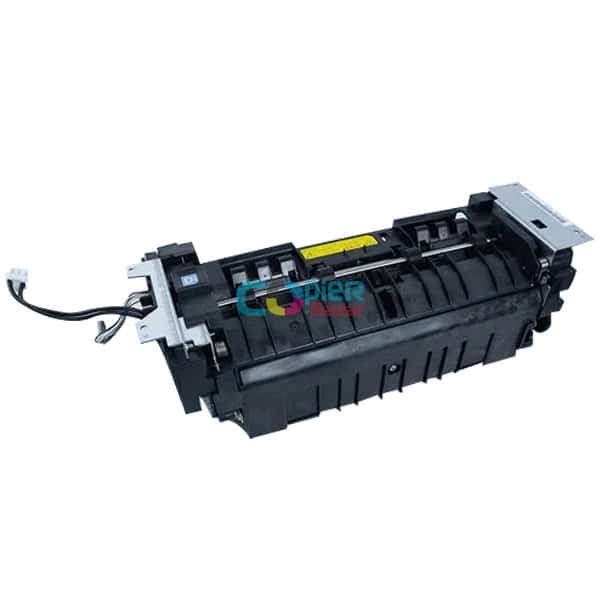
Fuser unit
Only if the check in step 4 finds uneven pressure between the two ends of the fuser. The manual's measure is a complete fuser unit (the store calls it the fixing unit).
When should you call a technician?
Call a technician if pages still crease after setting the guides and using flat, dry paper.
Questions people ask
- Why is my Kyocera M2040dn wrinkling paper?
- Start with the paper guides and the paper itself: curled, wavy or damp paper creases easily. If that does not fix it, the Kyocera service manual checks the registration roller springs and the fuser pressure.
- Can damp paper cause creases on Kyocera printers?
- Yes. The service manual lists paper kept in a humid place as a cause and advises sealed, dry storage.
- When is a new fuser needed for paper creases?
- Only when a solid image shows the fuser pressing unevenly from one end to the other. The registration roller springs are checked first.