
Kyocera ECOSYS M2040dn toner rubs off the page (fusing failure)
Applies to: Kyocera ECOSYS M2040dn, Kyocera ECOSYS M2135dn, Kyocera ECOSYS M2635dn, Kyocera ECOSYS M2635dw, Kyocera ECOSYS M2735dw, Kyocera ECOSYS M2540dn, Kyocera ECOSYS M2540dw, Kyocera ECOSYS M2640idw
Quick answer
When toner rubs or wipes off prints from a Kyocera ECOSYS M2040dn, the toner is not fused properly. Kyocera calls this a fusing failure. First use the right paper and set the matching media type in the System Menu. If that does not help, a technician updates the firmware and then checks the fuser unit pressure.
What is happening?
The fuser melts toner into the paper with heat and pressure. If the paper is unsuitable, the media type is wrong, or the fuser presses too lightly, the toner stays loose and smears. The manual's last measure is a new fuser unit, for a fuser whose nip on solid areas is too narrow and whose pressure springs are too weak. The same checks apply to all eight models in this service manual.
What causes it?
Unsuitable paper
Paper outside the spec.
Wrong media type
The media type setting does not match the paper.
Old firmware
The firmware is not the latest version.
Weak fuser pressure
The nip width on solid areas is too low and the fuser pressure springs are too weak.
What can you check yourself?
- 1
Use suitable paper
Load paper within the printer's spec.
- 2
Set the media type
In the System Menu, set the media type to match the paper in the cassette or MP tray, then print again.
Steps for a technician
- 1
Paper
Replace with suitable paper.
- 2
Media type
Set the right media type in the System Menu.
- 3
Firmware
Upgrade the firmware to the latest version.
- 4
Fuser unit
Check the nip width on a solid image. If it is narrow and the pressure springs are weak, replace the fuser unit.
Parts for this error
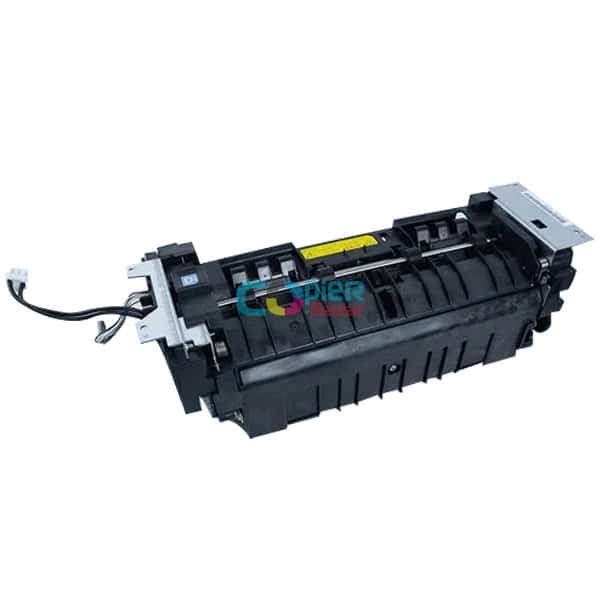
Fuser unit
Only if the check in step 4 finds a narrow nip on solid areas and weak fuser pressure. The manual's measure is a complete fuser unit (the store calls it the fixing unit).
When should you call a technician?
Call a technician if toner still rubs off after you have used suitable paper and set the right media type.
Questions people ask
- Why does toner rub off my Kyocera M2040dn prints?
- The toner is not being fused. The Kyocera service manual checks the paper and media type first, then the firmware, and finally the fuser unit pressure.
- Does a fusing failure mean a new fuser?
- Not always. A new fuser unit is the last step, used when the nip on solid areas is too narrow and the pressure springs are too weak.
- Can the media type setting cause smudged prints?
- Yes. The service manual lists a wrong media type as the second cause of fusing failure, so set it to match the paper.