
Kyocera ECOSYS M2040dn vertical white lines on copies or prints
Applies to: Kyocera ECOSYS M2040dn, Kyocera ECOSYS M2135dn, Kyocera ECOSYS M2635dn, Kyocera ECOSYS M2635dw, Kyocera ECOSYS M2735dw, Kyocera ECOSYS M2540dn, Kyocera ECOSYS M2540dw, Kyocera ECOSYS M2640idw
Quick answer
Vertical white lines on a Kyocera ECOSYS M2040dn mean toner is missing in a strip down the page. Print the Test Page from Service Setting. If the lines are only on copies, dust on the scanner carriage or original is the first suspect. If the test page has them too, start with Drum Refresh and a clean LSU glass.
What is happening?
A white streak running down the sheet means a narrow band was not scanned or not printed. On the scanner side it is usually dust in the light path or a dirty original. On the engine side, something blocks the laser or the toner on the way to the paper, such as dirt on the drum, the LSU glass or the transfer roller. The same checks apply to all eight models in this service manual.
What causes it?
Dirty original
Marks on the original itself.
Dust on the scanner carriage
Dust in the light path of the scanner carriage, or a dirty carriage.
Faulty CIS or DPCIS
The image sensor in the scanner carriage or, for back sides on 40 ppm models, in the document processor.
Dirty slit glass or DP parts
Dirt on the slit glass, the DP original conveying guide, the DPCIS glass or DP conveying roller A.
Transfer roller or FD guide (engine)
A dirty or scratched transfer roller, or an FD guide that presses on the paper too hard.
Drum, laser path or developer (engine)
A dirty drum, dirty LSU glass, foreign matter in the laser path or inside the developer unit, a dirty main charger wire, or a scratched drum.
What can you check yourself?
- 1
Print the test page
Go to System Menu > Adjustment/Maintenance > Service Setting and print the Test Page (a grey halftone sheet). If the fault is on the test page, the printing engine is the cause. If the test page is clean and only copies or scans show it, the scanner is the cause.
- 2
Compare glass and feeder
Copy the original once from the contact glass and once through the document processor. If only one of them shows the fault, that scanning path is where to look.
- 3
Clean the glass
Wipe the contact glass, the narrow slit glass beside it and the white original mat under the cover. Copy again.
- 4
Use a clean original
Try another clean original to rule out marks on the page you are copying.
- 5
Run Drum Refresh
If the test page has the white lines and you can reach Service Setting, run Drum Refresh and print the test page again.
Steps for a technician
- 1
Isolate scanner or engine
Print the Test Page from Service Setting. A fault on the test page is an engine factor; a clean test page means a scanner factor. A fault that scales with zoom copying is also a scanner factor. On the scanner side, check whether it follows the contact glass, the DP front side (main unit CIS) or the DP back side (DPCIS, 40 ppm models only).
- 2
Contact glass path
Rule out the original. Remove dust from the light path of the scanner carriage and clean the carriage. Replace the scanner carriage and run U411 Table(ChartA) and DP FU(ChartA) if the CIS is faulty, then the main/engine PWB.
- 3
DP front side path
Rule out the original, remove dust from the scanner carriage, then replace the carriage if the CIS is faulty. Clean the slit glass and DP original conveying guide. Finally check the main/engine PWB connectors, FFC and board.
- 4
DP back side path (40 ppm models)
Clean DP conveying roller A, then the DPCIS contact glass and DP original conveying guide. Replace the DPCIS and run U411 [DP FD(ChartA)], then the main/engine PWB if needed.
- 5
Engine paper path
If the streak repeats at one transfer roller turn, clean the transfer roller, and replace it if needed. Check how much the paper curls on exit and refit the FD guide so it does not press too hard.
- 6
Drum and laser path
Run Drum Refresh. Clean the LSU glass. Clear any object blocking the laser path, for example on the frame or the seal between the drum unit and developer unit.
- 7
Developer, charger and drum
Replace the developer unit if foreign matter is inside it. Clean the main charger wire, or replace the main charger unit. Replace the drum unit if the drum is scratched.
Parts for this error
Drum unit (DK-1150)
Only if Drum Refresh does not help and the check in step 7 finds the drum surface worn or scratched. The manual's measure is a complete drum unit. Please confirm with us that this DK-1150 listing is the full drum unit for your model before ordering.
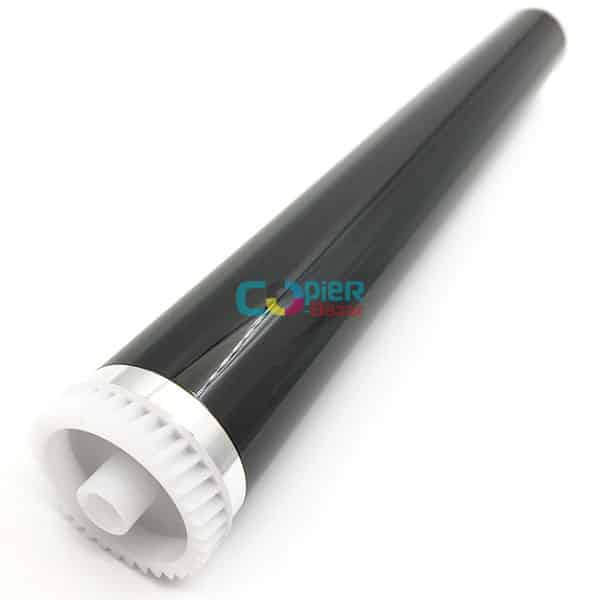
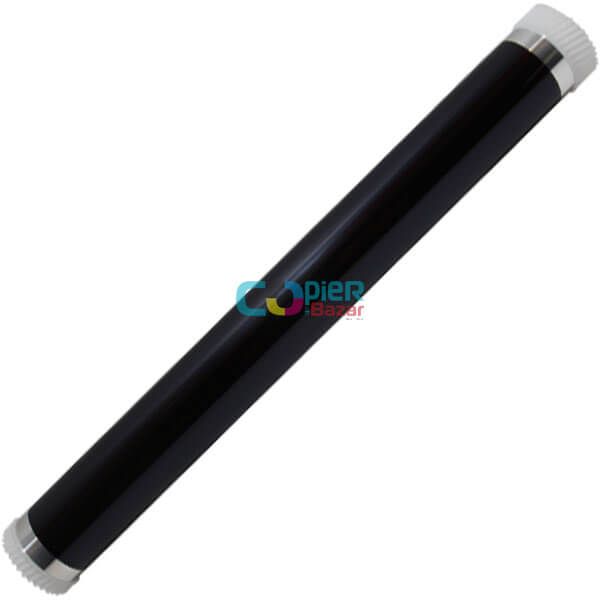
Drum only (without the unit)
For the same check as step 7. This is the photoconductor drum alone, not the complete drum unit that the manual replaces. A technician can fit it into your existing drum unit.
When should you call a technician?
Call a technician if the white lines stay after cleaning the glass and trying a clean original, or if they show on the test page after Drum Refresh.
Questions people ask
- Why are there white lines on my Kyocera M2040dn prints?
- Something stops toner reaching a narrow strip of the page. On a Kyocera ECOSYS M2040dn the manual checks the drum, the LSU glass, the laser path, the developer unit and the transfer roller when the test page shows the lines.
- White lines only on photocopies?
- If the test page is clean, the scanner is the cause. Dust on the scanner carriage or a dirty original comes first, then the CIS sensor.
- Can I clean the LSU glass on a Kyocera M2040dn myself?
- The service manual treats LSU glass cleaning as a technician task inside the machine. The laser unit must never be opened, because the laser light can harm eyesight.