
Kyocera ECOSYS M2040dn J0107: fuser temperature stabilization time-out
Applies to: Kyocera ECOSYS M2040dn, Kyocera ECOSYS M2135dn, Kyocera ECOSYS M2635dn, Kyocera ECOSYS M2635dw, Kyocera ECOSYS M2735dw, Kyocera ECOSYS M2540dn, Kyocera ECOSYS M2540dw, Kyocera ECOSYS M2640idw
Quick answer
Kyocera ECOSYS M2040dn code J0107 means the fuser did not reach the temperature needed to feed paper within the set time. A weak or unstable power supply is a likely cause. First do a full power reset, then plug the printer into a different wall socket and check the media type setting.
What does J0107 mean?
Before paper is fed, the fuser has to reach a temperature at which it can fix toner. J0107 appears when it does not get there within the allowed time. The manual checks the power supply and settings first and the fuser heater last. The same code and steps apply to the ECOSYS M2135dn, M2635dn, M2635dw, M2735dw, M2540dn, M2540dw and M2640idw, which share one Kyocera service manual.
What causes J0107?
Controller did not start properly
A full power reset clears this.
Unstable or low mains voltage
The power supply fluctuates or the voltage drops, so the fuser heats too slowly.
Paper settings do not match the paper
The media type or paper size set in the menu does not match the paper loaded.
Firmware problem
The firmware is not activating properly.
Fuser heater faulty
The heater is inside the fuser unit, so the manual's fix is a new fuser unit.
What can you check yourself?
- 1
Do a full power reset
Switch off, unplug, wait at least 5 seconds, then plug in and switch on.
- 2
Use another wall socket
Plug the printer directly into a different wall outlet. Avoid shared extension boards.
- 3
Match the paper settings
In the system menu, make sure the paper size and media type set for that tray match the paper actually loaded.
- 4
Try again
Close all covers, switch on and print a few pages. If the same code keeps coming back, stop and call a technician.
Steps for a technician
- 1
Reset the main power
Switch off, unplug, wait 5 seconds and switch on again.
- 2
Change the power source
Move the power cord to another wall outlet if the supply is unstable or low.
- 3
Correct the paper settings
Set the media type in the system menu to match the paper in use.
- 4
Upgrade the firmware
Install the latest firmware version.
- 5
Replace the fuser unit
If the code remains, treat the fuser heater as faulty and fit a new fuser unit.
Parts for this error
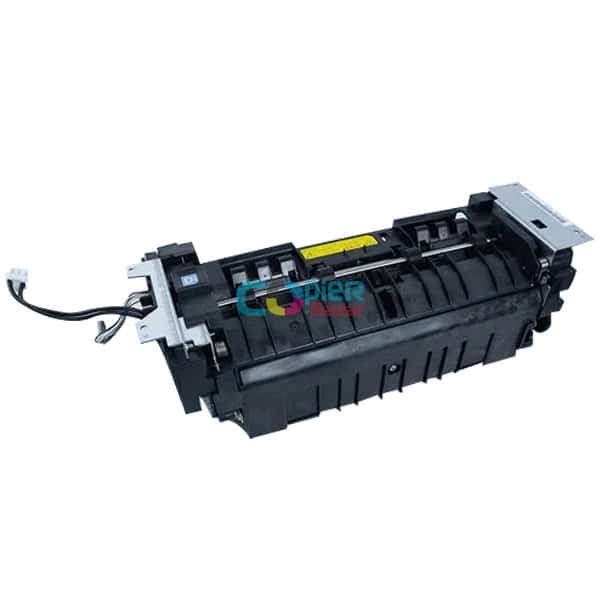
Fuser unit
Only if steps 1 to 4 do not clear J0107. The heater is part of the fuser unit, and the manual's measure at step 5 is a complete fuser unit.
When should you call a technician?
Call a technician if J0107 keeps returning after a power reset, a different wall socket and a correct media setting.
Questions people ask
- What does J0107 mean on a Kyocera M2040dn?
- On a Kyocera ECOSYS M2040dn, J0107 is a fuser temperature stabilization time-out. The fuser did not warm up to paper feeding temperature in the allowed time.
- Can low voltage cause Kyocera J0107?
- Yes. The Kyocera manual lists a fluctuating or low power supply as a cause and suggests plugging the printer into another wall outlet.
- Does J0107 mean the fuser is bad?
- Not always. A new fuser unit is the last step in the manual, after the power reset, power socket, media setting and firmware checks.