Introduction
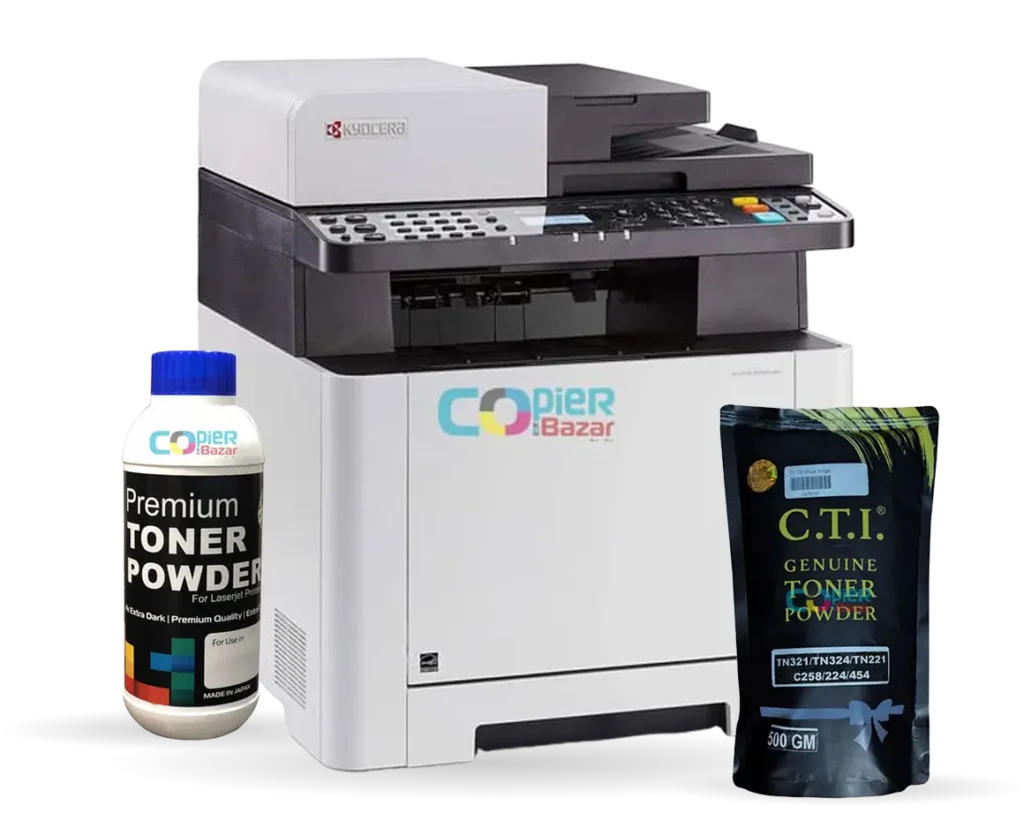
Do you have a colour copier machine in your office? If yes, then you are sitting on a goldmine! Most business owners use their copier only for basic black and white printing. But a colour copier can do much more than that.
In this blog, we will show you 10 creative ways to use your colour copier machine to grow your business and increase your income. From printing beautiful posters to making professional visiting cards, your copier can become your most valuable business tool.
Let’s explore how you can make the most of your colour copier machine!
Table of Contents
1. Print Eye-Catching Posters for Marketing
Posters are one of the best ways to promote your business, products, or services. With a colour copier machine, you can print vibrant posters in-house without spending money at a printing shop.
How it helps your business:
- Create promotional posters for sales and offers
- Make event announcements
- Design product showcases
- Print educational posters for schools and training centers
Pro Tip: Use thick paper (200-300 GSM) for better quality posters that last longer.
2. Create Custom Stickers for Branding
Stickers are powerful marketing tools. You can print custom stickers with your logo, contact details, or special messages.
Business ideas with stickers:
- Product labeling stickers
- Branding stickers for packaging
- Promotional stickers for giveaways
- Price tags and discount labels
- Window decals for your shop
Pro Tip: Use glossy sticker paper for a professional look that attracts attention.
3. Print High-Quality Photos for Multiple Uses
A colour copier machine can print beautiful photos that you can use for various business purposes.
Photo printing ideas:
- Portfolio photos for photographers
- Property photos for real estate agents
- Menu photos for restaurants
- Product catalog photos
- Team photos for office walls
- Before-after photos for salons and clinics
Pro Tip: Use photo paper (180-260 GSM glossy) for the best results.
4. Design Professional Letter Heads
Every business needs professional letterheads. Instead of ordering in bulk from outside, you can print them as needed.
Benefits of printing your own letterheads:
- Save money on bulk orders
- Print only what you need
- Change designs anytime
- Create different letterheads for different purposes
- Add security features like watermarks
Pro Tip: Use 80-100 GSM quality paper for letterheads that feel premium.

5. Make Impressive Visiting Cards
Visiting cards are your business identity. With a colour copier, you can create unique visiting cards that stand out.
Advantages:
- Print small quantities for new employees
- Test different designs before bulk printing
- Create special cards for events
- Print cards in multiple languages
- Add QR codes for digital contact sharing
Pro Tip: Use 300 GSM card paper and cut them with a paper cutter for perfect results.
6. Create Attractive Pamphlets and Brochures
Pamphlets are cost-effective marketing tools. You can print them yourself and distribute them to potential customers.
Use pamphlets for:
- New product launches
- Service announcements
- Event invitations
- Price lists
- Company information
- Special offers and discounts
Pro Tip: Fold A4 size paper into tri-fold brochures for a professional look.
7. Make Beautiful Collages for Decoration
Collages add a personal touch to your office or shop. They create a warm atmosphere for customers and employees.
Collage ideas for business:
- Customer testimonial walls
- Employee achievement displays
- Company milestone timelines
- Product evolution showcases
- Community service activities
- Festival and celebration memories
Pro Tip: Use photo paper and arrange images creatively before printing large collages.
8. Print Custom Certificates and Awards
Certificates and awards motivate employees and students. Print them on-demand for any occasion.
Certificate printing ideas:
- Employee of the month awards
- Training completion certificates
- Achievement certificates for students
- Participation certificates for events
- Gift certificates for customers
Pro Tip: Use 120-150 GSM certificate paper with borders for an official look.
9. Create Door Hangers and Tags
Door hangers are effective for local marketing. They grab attention and stay in people’s homes.
Business uses:
- Restaurant menus and offers
- Salon service lists
- Home service reminders
- Special discount announcements
- Event notifications
Pro Tip: Cut them in door hanger shape and add a hole punch for easy hanging.
10. Print Educational Materials and Worksheets
If you run a coaching center, school, or training institute, you can print all your study materials in-house.
Educational printing ideas:
- Colorful worksheets for children
- Practice test papers
- Study notes and guides
- Charts and diagrams
- Flash cards for learning
- Project covers and reports
Pro Tip: Use colorful designs to make learning more engaging and fun.
How to Get Started
Now you know the potential of your colour copier machine. Here’s how to get started:
- Choose the right paper: Different projects need different paper types and weights
- Learn basic design: Use free tools like Canva or Microsoft Word to create designs
- Start small: Test with small quantities before printing in bulk
- Calculate costs: Know your cost per print to price your services correctly
- Market your services: Let people know you can print these items
- Quality matters: Always check print quality before delivering to customers
Bonus Tips for Success
- Keep your copier machine well-maintained for consistent quality
- Stock different types of papers for various projects
- Learn about color settings and paper types
- Build a portfolio of your best work to show customers
- Offer package deals for multiple services
- Create samples to display in your office
- Take bulk orders for better profits
Conclusion
A colour copier machine is not just for copying documents. It’s a powerful business tool that can help you earn extra income and grow your business. From printing posters and stickers to creating visiting cards and pamphlets, the possibilities are endless.
Start using these ideas today and watch your business grow! If you don’t have a colour copier yet, now is the perfect time to invest in one.
What is the difference between a colour copier and a regular printer?
A colour copier machine can copy, print, and scan documents. It’s built for high-volume printing and offers better quality for business use. Regular printers are smaller and suitable for home or small office use.
Can I print visiting cards on a colour copier machine?
Yes! You can print professional visiting cards on a colour copier using 300 GSM card paper. You’ll need a paper cutter to cut them to standard size (3.5 x 2 inches).
What type of paper should I use for printing posters?
For best results, use 200-300 GSM thick paper or poster paper. This gives your posters a professional look and makes them durable.
Is it cheaper to print in-house or outsource printing?
For small quantities and urgent needs, printing in-house is much cheaper. For large bulk orders (1000+ pieces), outsourcing might be more economical. Calculate your cost per print to decide.
Can I print stickers on a regular colour copier?
Yes, most modern colour copiers can print on sticker paper. Make sure to use the correct paper type setting in your copier to avoid paper jams.
How much can I earn by offering printing services?
Earnings depend on your location and services. You can charge Rs. 10-20 per poster, Rs. 2-5 per visiting card, Rs. 5-15 per pamphlet, and Rs. 10-20 per photo print. With good marketing, you can earn Rs. 20,000-50,000 extra per month.
Do I need any special skills to do these printings?
No special skills are needed. Basic computer knowledge and understanding of your copier machine is enough. You can learn design basics from free online tutorials.
What is the best colour copier machine for small business?
Brands like Kyocera, Ricoh, Sharp, and Xerox offer excellent colour copiers for small businesses. Look for multifunction devices with scan, copy, and print features. A4 size machines starting from Rs. 80,000 are good for beginners.
How do I maintain print quality on my copier?
Regular maintenance is key. Clean the machine weekly, replace toner when needed, use quality paper, and service the machine every 6 months. This ensures consistent high-quality prints.
Can I print photos as good as a photo studio?
With the right settings and photo paper, colour copiers can produce very good quality photos suitable for most business needs. For professional photography portfolios, dedicated photo printers might be better, but copiers work great for general business use.
Ready to Start Your Printing Business?
Visit CopierBazar.com to find the best colour copier machines for your business needs. We offer authorized products from top brands like Kyocera, Ricoh, Sharp, Toshiba, and Xerox with complete after-sales support.
Contact us today to get expert advice on choosing the right copier for your business!