
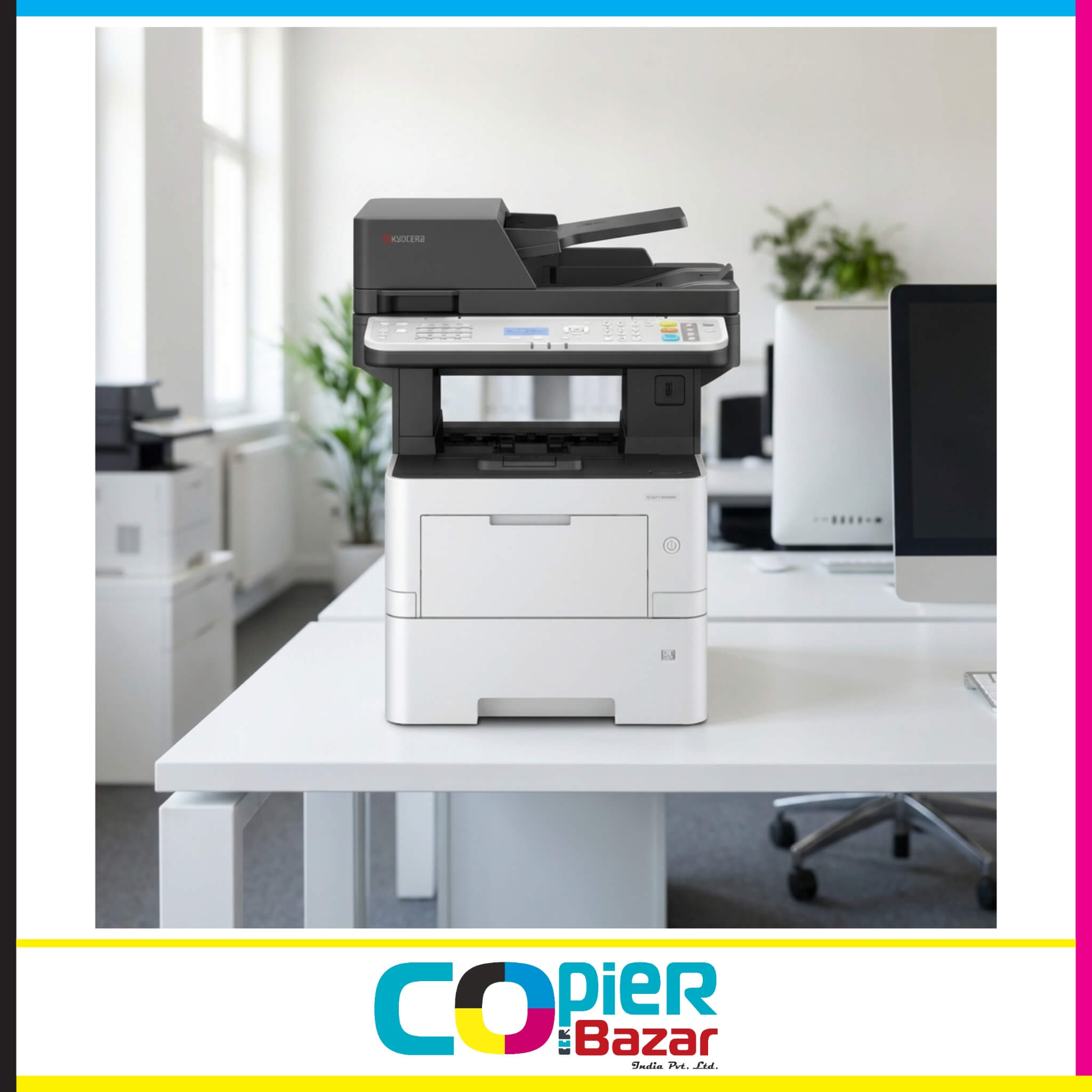
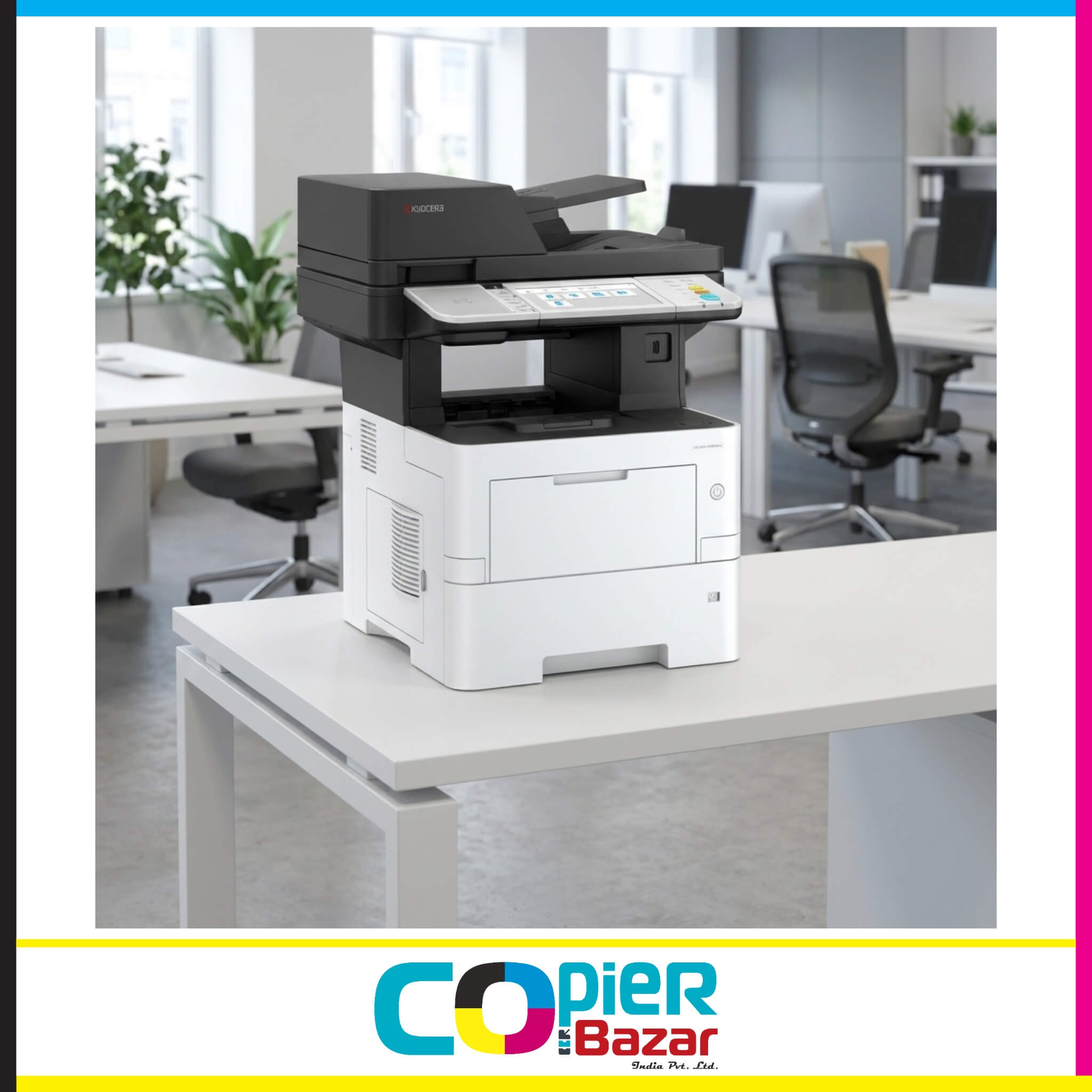
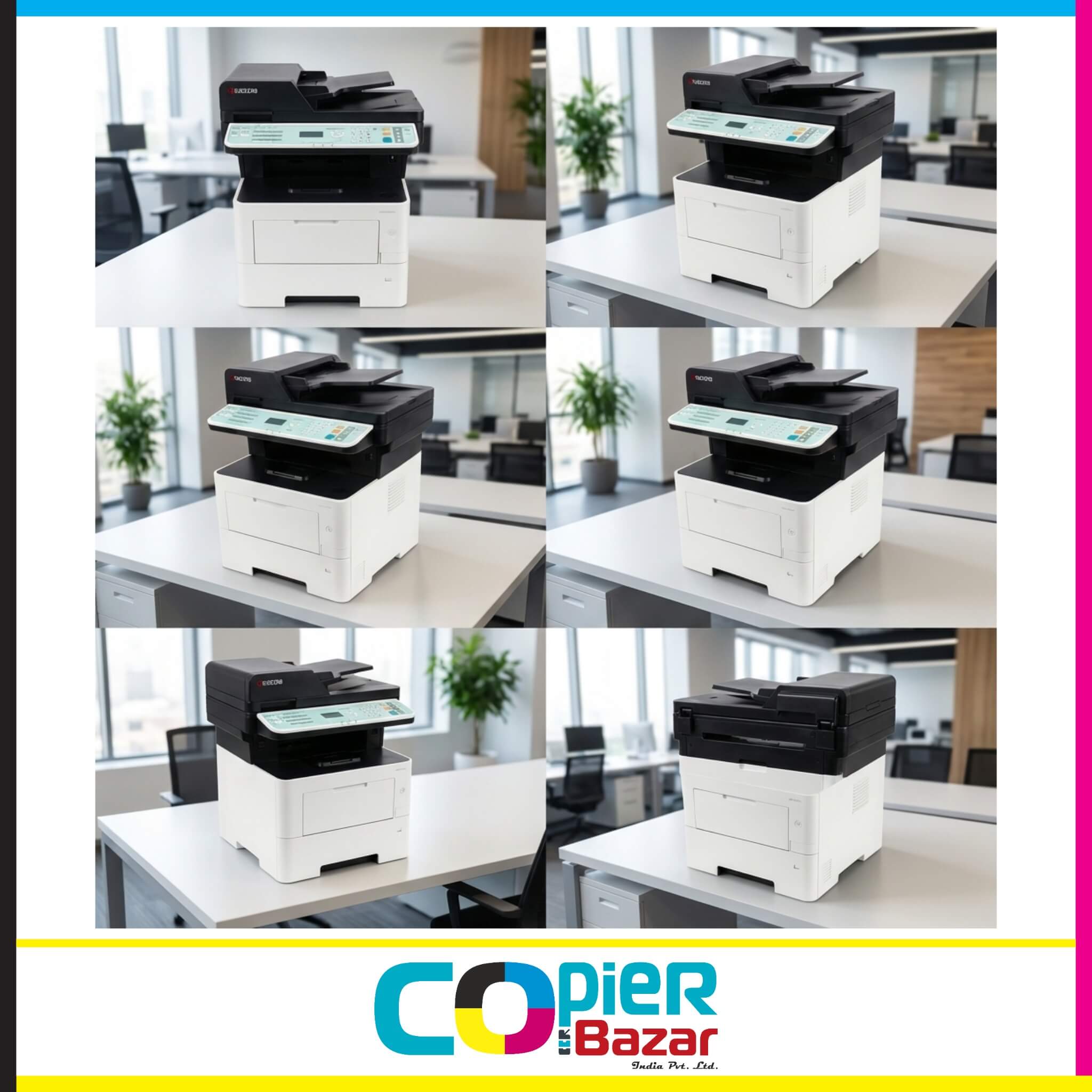
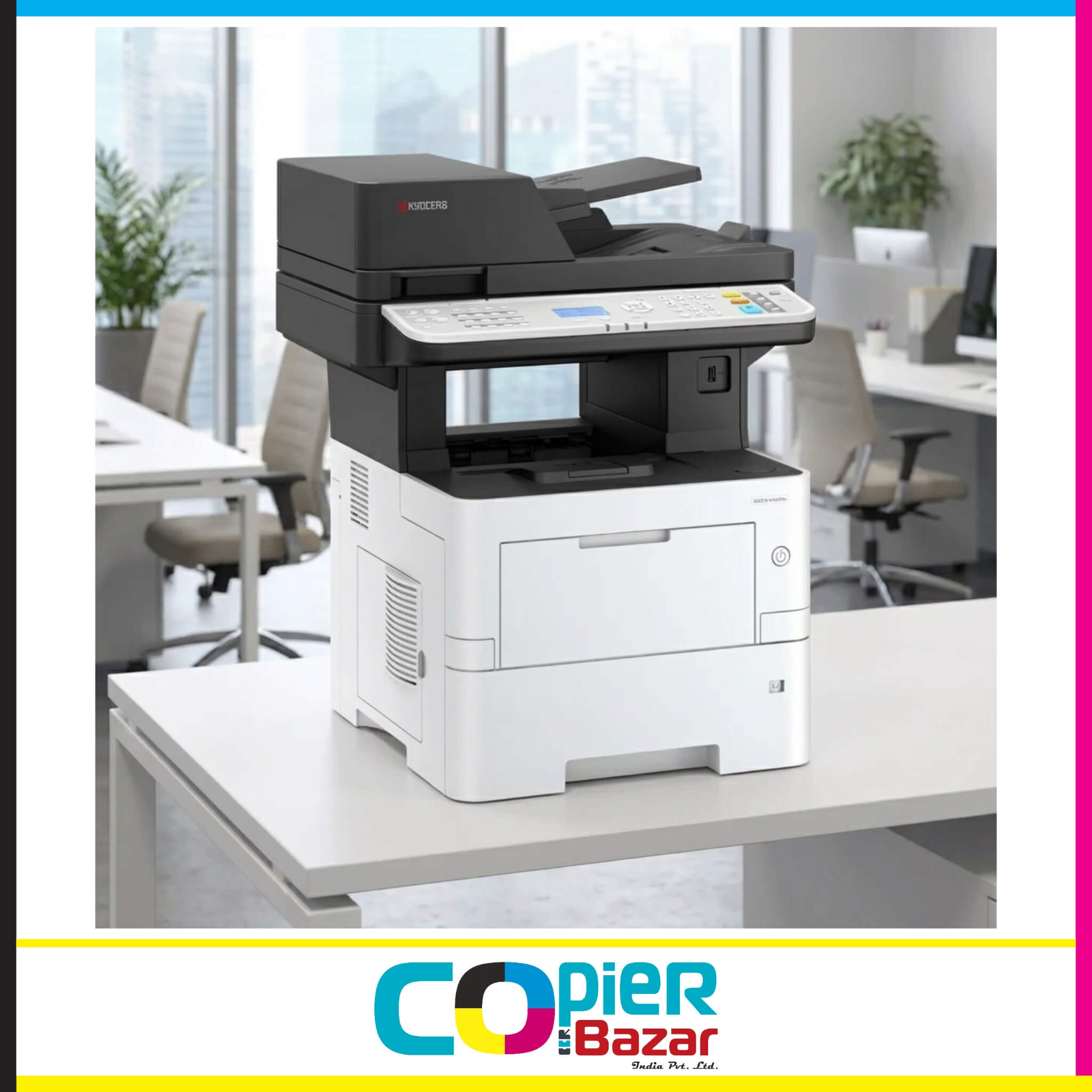
Kyocera ECOSYS MA4500x Multifunction Printer – 45ppm Mono Laser MFP
The Kyocera ECOSYS MA4500x is a powerful monochrome multifunction printer designed for high-volume printing environments. With blazing 45 pages per minute speed and exceptional 300,000-page drum life, this MFP is built to handle 3,000 monthly recommended print volumes effortlessly.
Powered by a Cortex-A53 Dual Core 1.4GHz processor and 1GB RAM (expandable to 3GB), the MA4500x delivers professional-quality output at 1200 x 1200 dpi resolution. The 5-line LCD control panel with hard keys ensures easy operation, while the standard 75-sheet Reverse Automatic Document Feeder (RADF) streamlines copying and scanning workflows.
Key features include Legal size (8.5″ x 14″) paper support, automatic duplex printing, and ECOSYS long-life technology that minimizes running costs. With expandable paper capacity up to 2,600 sheets and first print out in just 5.3 seconds, this desktop MFP is perfect for photocopier shops, small businesses, and busy workgroups.
Installation support available via phone or video call. Free shipping across India.
Best for: Print shops, Document centers, Small-medium businesses, Professional offices
₹59,999 ₹85,000 Price Including Tax
The Kyocera ECOSYS MA4500x represents a new generation of A4 multifunction printers specifically engineered for high-volume printing environments. Whether you’re running a photocopier shop, managing a busy office, or operating a document center, the MA4500x delivers professional-grade performance at an affordable price point of ₹59,999.
Why Choose Kyocera MA4500x Over Traditional A3 Machines?
In today’s market, most businesses are discovering that expensive A3 machines (costing ₹1,50,000+) are overkill for their actual needs. The reality is that 95% of print jobs are A4 or Legal size, making the MA4500x the smarter investment. Here’s why:
- Save ₹90,000+ compared to A3 machines
- Lower running costs with 300,000-page drum life
- Compact footprint – fits on any desk or counter
- Faster warm-up time – ready in just 16 seconds
- Lower power consumption – sleep mode uses only 0.5W
- Easier maintenance – simplified service procedures
Kyocera MA4500x Specifications – Built for Performance
| Specification | Details |
|---|---|
| Model Name | Kyocera ECOSYS MA4500x |
| Print Technology | Semiconductor Laser (Monochrome) |
| Functions | Print, Copy, Scan |
| Print Speed (A4) | 45 pages per minute (Simplex) 22.5 pages per minute (Duplex) |
| Copy Speed (A4) | 45 pages per minute (Simplex) 22.5 pages per minute (Duplex) |
| Print Resolution | 600 x 600 dpi (Standard) Fast 1200 dpi (1800 x 600 dpi) Fine 1200 dpi (1200 x 1200 dpi) |
| Copy Resolution | 600 x 600 dpi |
| First Print Out Time | 5.3 seconds or less |
| First Copy Out Time | 7.0 seconds or less |
| Warm Up Time | 16 seconds |
| Processor | Cortex-A53 Dual Core 1.4 GHz |
| Memory | 1GB RAM (Standard) Expandable up to 3GB RAM (Maximum) |
| Control Panel | 5-line LCD Display with Hard Key Buttons |
| Drum Life | 300,000 pages |
| Toner Model | TK-3405 |
| Toner Yield | 12,500 pages (Standard TK-3405) 6,000 pages (Starter Toner) |
| Recommended Monthly Volume | 3,000 pages per month |
| Paper Capacity (Standard) | 500 sheets (Cassette) 100 sheets (Multi-Purpose Tray) Total: 600 sheets |
| Paper Capacity (Maximum) | 2,600 sheets (with 4x PF-3110 optional trays + MPT) |
| Output Capacity | 250 sheets (Face-down) |
| Paper Sizes (Cassette) | A4, A5R, B5, Letter, Legal (8.5″ x 14″), Folio Custom: 140 x 210 mm to 216 x 356 mm |
| Paper Sizes (MPT) | A4, A5, A6, B5, B6, Letter, Legal, Folio Custom: 70 x 140 mm to 216 x 356 mm Banner Paper: up to 216 x 915 mm |
| Paper Weight (Cassette) | 60 – 120 g/m² |
| Paper Weight (MPT) | 60 – 220 g/m² |
| Duplex Printing | Automatic (Standard) Paper: A5R to A4/Legal Weight: 60 – 120 g/m² |
| Document Feeder | 75-sheet RADF (Reverse Automatic Document Feeder) Paper Weight: 50 – 120 g/m² Paper Size: A4, A5, A6, B5, Letter, Legal Custom: 105 x 148 mm to 216 x 356 mm |
| Duplex Scanning | Automatic via RADF |
| Copy Zoom Range | 25% – 400% (in 1% steps) |
| Preset Zoom Ratios | 7 Reductions / 5 Enlargements |
| Multiple Copies | 1 – 999 |
| Scan Type | Color & Monochrome |
| Scan Resolution | 200 dpi, 200×100 dpi, 200×400 dpi, 300 dpi, 400 dpi, 600 dpi |
| Scan Speed (A4 @ 300dpi) | Simplex: 60 ipm (Mono) / 40 ipm (Color) Duplex: 26 ipm (Mono) / 17 ipm (Color) |
| Scan Formats | TIFF, JPEG, PDF, XPS (including high-compression PDF) |
| Scan Destinations | Scan to Email, Scan to SMB, Scan to FTP/FTPS, Scan to USB, TWAIN Scan, WSD Scan |
| Address Book | 200 addresses (Common list) 50 groups (Group list) |
| Print Languages (PDL) | PCL6 (PCL XL / PCL 5c) KPDL3 (PostScript 3 compatible) XPS |
| Connectivity (Standard) | USB 2.0 High Speed x1 Gigabit Ethernet (10/100/1000 Base-T) USB Host Interface x2 |
| Mobile Printing | Apple AirPrint, Google Cloud Print, Mopria, Kyocera Mobile Print |
| Network Protocols | NetBEUI, FTP, Port 9100, LPR, IPP, IPP over SSL, WSD Print, Apple Bonjour |
| Security Features | Data Overwrite & Encryption Trusted Platform Module (TPM) Secure Boot & Run Time Integrity Check S/MIME, TLS 1.3 IPsec, SSL, SNMPv3 |
| Operating Systems | Windows 7/8/8.1/10/11 Windows Server 2008/2012/2016/2019/2022 Mac OS X 10.9 or higher Linux, Unix, Chrome OS |
| USB Printing Formats | TIFF, JPEG, PDF, XPS |
| Power Consumption | Printing: 584.7W Copying: 601.6W Ready Mode: 54.9W Low Power Mode: 38.3W Sleep Mode: 0.5W |
| Voltage | AC 220-240V, 50/60 Hz |
| Dimensions (W x D x H) | 475 x 476 x 575 mm (Main Unit) |
| Weight | Approx. 22.3 kg (with initial toner) Approx. 30 kg (with packaging) |
| Noise Level | Copy/Print Mode: 54 dB(A) Stand-by Mode: 30 dB(A) |
| Certifications | TÜV/GS, CE ISO 9001 (Quality) ISO 14001 (Environmental) |
The 300,000 Page Drum: Unmatched Reliability
The standout feature of the Kyocera ECOSYS MA4500x is its exceptional 300,000-page drum life – three times longer than most competitors. Here’s what this means for your business:
Why Drum Life Matters
Most printers require drum replacement every 100,000 pages, costing ₹8,000-₹12,000 per replacement. With the MA4500x’s 300,000-page drum:
- Save ₹16,000-₹24,000 in drum costs over 300,000 pages
- Less downtime – fewer service interruptions
- Predictable costs – budget maintenance more accurately
- Environmental benefit – fewer consumables to dispose of
Real-World Scenario
For a photocopier shop doing 5,000 copies daily:
- Competitor machines: Replace drum every 4-5 months
- MA4500x: Replace drum once every 12-15 months
That’s 3X fewer service calls and significantly lower total cost of ownership.
Legal Size Support: Meeting Real Market Demand
Legal & Professional Documents
- Court documents and legal contracts
- Affidavits and notarized papers
- Government forms and applications
- Medical records and prescriptions
- Financial statements and reports
- Tender documents
Why This Matters
Many businesses need Legal size printing but can’t justify expensive A3 machines. The MA4500x fills this gap perfectly:
- A4 machine price (₹60,000 vs ₹1,50,000 for A3)
- Legal size capability when you need it
- Compact footprint – no need for large A3 space
- Lower running costs than A3 alternatives
Performance That Matches Your Workflow
Speed and Productivity
At 45 pages per minute, the MA4500x keeps pace with your busiest days:
- Print 100 pages in 2 minutes 15 seconds
- Complete 500-page jobs in 11 minutes
- Handle 3,000+ monthly copies without stress
- First page out in just 5.3 seconds
- Ready to print in 16 seconds from power-on
Smart Memory and Processing
The Cortex-A53 Dual Core 1.4 GHz processor with 1GB RAM (expandable to 3GB) ensures:
- No bottlenecks during large print jobs
- Smooth multitasking – print, copy, scan simultaneously
- Fast processing of complex documents
- Quick preview and job management
- Responsive control panel operation
Paper Handling That Scales
Standard Configuration:
- 500-sheet main cassette
- 100-sheet bypass tray (MPT)
- 250-sheet output tray
- Total input: 600 sheets
Expandable to 2,600 sheets with optional PF-3110 trays – perfect for:
- Unattended overnight printing
- Different paper types ready simultaneously
- Reduced paper refilling interruptions
- High-volume environments
Document Processor Features
75-sheet RADF (Reverse Automatic Document Feeder):
- Automatic duplex scanning
- Handles 50-120 g/m² paper
- A6 to Legal size support
- Fast 60 ipm monochrome scanning @ 300dpi
- 26 ipm duplex scanning
The Economics: ₹60,000 vs ₹1,50,000
Let’s compare the Kyocera MA4500x against traditional A3 machines:
| Cost Factor | MA4500x (A4) | Typical A3 MFP | Savings |
|---|---|---|---|
| Machine Cost | ₹60,000 | ₹1,50,000 | ₹90,000 |
| Drum Life | 300,000 pages | 100,000 pages | 3X longer |
| Drum Cost (per 300K) | ₹12,000 (1x) | ₹30,000 (3x) | ₹18,000 |
| Warm-up Time | 16 seconds | 45-60 seconds | 3X faster |
| Power (Sleep Mode) | 0.5W | 2-5W | 90% less |
| Space Required | Desktop | Floor space | 60% smaller |
| Total 3-Year TCO | ₹1,50,000 | ₹3,50,000 | Save ₹2,00,000 |
Bottom Line: Save ₹2 lakh over 3 years while getting better reliability!
Perfect for Multiple Business Models
For Photocopier Shop Owners
The MA4500x is the perfect workhorse for photocopier shops:
- Handle 3,000-5,000 monthly copies effortlessly
- Legal size printing for legal documents and government forms
- Rapid 45 ppm speed keeps customers happy
- Low per-page cost maximizes profit margins (₹0.40/page)
- Compact size – fits in smaller shop spaces
- Reliable performance with 300,000-page drum
ROI Example:
- Daily copies: 5,000
- Per page charge: ₹1.50
- Daily revenue: ₹7,500
- Monthly revenue: ₹2,25,000
- Machine cost recovered in: Less than 2 months!
For Small Businesses
Ideal for companies needing professional document management:
- Print professional reports at Fine 1200 dpi quality
- Scan to email/network for digital workflows
- Automatic duplex saves paper costs
- Mobile printing for remote workers
- Secure print protects confidential documents
Use Cases:
- Invoice printing (GST compliant)
- Customer proposals and quotations
- Contract printing and documentation
- Internal reports and circulars
- Meeting agendas and presentations
For Professional Offices
Perfect for legal firms, CAs, consultants, and medical practices:
- Legal size support for professional documents
- High-volume capability for busy periods
- Network printing from multiple users
- Scan to email for document sharing
- Professional quality for client-facing documents
Advanced Features That Set MA4500x Apart
5-Line LCD Control Panel
User-friendly interface with hard key buttons:
- Clear navigation through menus
- Quick settings access
- Status monitoring at a glance
- Job queue management
- Error messages in plain language
Mobile Printing Flexibility
Print from anywhere with multiple mobile printing options:
- Apple AirPrint – iPhone/iPad direct printing
- Google Cloud Print – Android devices
- Kyocera Mobile Print App – Advanced features
- Mopria Certified – Universal mobile printing
Enterprise-Level Security
Protect sensitive documents with robust security:
- Data Overwrite & Encryption on storage
- Trusted Platform Module (TPM) – Hardware security
- Secure Boot – Prevents unauthorized firmware
- Run Time Integrity Check – Constant monitoring
- S/MIME – Email encryption
- TLS 1.3 – Latest encryption protocol
- IPsec & SSL – Network security
- SNMPv3 – Secure network management
Professional Scanning Capabilities
High-speed scanning features:
- 60 ipm simplex / 26 ipm duplex scanning (mono @ 300dpi)
- Color & B&W scanning support
- Multiple formats: PDF, JPEG, TIFF, XPS
- Scan to Email – direct document sharing
- Scan to Network Folder (SMB) – centralized storage
- Scan to FTP/FTPS – secure file transfer
- Scan to USB – portable document transfer
- TWAIN & WSD scanning support
Energy Efficiency & Environmental Benefits
ECOSYS Technology
Kyocera’s ECOSYS (ECOnomy, ECOlogy, SYStem) technology means:
- Long-life components – 300,000-page drum
- Lower consumables usage – only toner needs replacement
- Energy-efficient operation – 0.5W sleep mode
- Recyclable consumables support sustainability
- Reduced waste – fewer parts to replace
Power Consumption Breakdown
The MA4500x is designed for energy efficiency:
- Sleep mode: Only 0.5W consumption
- Low Power mode: 38.3W standby
- Ready mode: 54.9W
- Operating mode: 585-602W average
- Fast wake-up: 16 seconds to ready
Environmental Certifications
- ISO 14001 (Environmental Management)
- TÜV/GS Certified
- CE Compliant
- RoHS Compliant – No harmful substances
- Energy Star eligible
Installation & Setup Support
Get started quickly with our comprehensive installation support:
Remote Installation Support
- Phone support – Step-by-step guidance
- Video call installation – Visual assistance for complex setups
- Driver installation help for Windows/Mac/Linux
- Network configuration support
- Mobile printing setup assistance
What’s Included
- Driver CD/Download – For Windows, Mac, Linux
- Quick Start Guide – Get printing in minutes
- Network Setup Manual – For office networks
- User Manual – Comprehensive reference
- Mobile App Setup Guide – For smartphone printing
Professional Installation Available
For complex installations, professional on-site setup is available (additional charges apply):
- Network integration and configuration
- Multiple user setup and permissions
- Advanced scanning configuration
- Security settings optimization
- Staff training and demonstrations
Consumables & Supplies
Toner Information
Standard Toner Cartridge (TK-3405):
- Yield: 12,500 pages (A4 @ 5% coverage)
- Starter toner: 6,000 pages
- ISO/IEC 19752 compliant
- Estimated cost per page: ₹0.40
- Easy replacement process
Drum Unit
- Life: 300,000 pages
- Replacement interval: Once every 12-15 months (at 5,000 pages/day)
- Long-life ceramic technology
- No separate developer unit required
Maintenance Kit
- First service: After initial use (recommended)
- Regular service: Every 400,000 pages
- Includes: Fuser components, rollers, separation pads
- Professional installation recommended
Frequently Asked Questions
General Questions
Q: Is the Kyocera MA4500x suitable for home use? A: While it can be used at home, it’s designed for business/office environments with volumes of 3,000+ pages monthly. For home use with lower volumes, consider the Kyocera M2040dn.
Q: Can it print on both sides automatically? A: Yes! Automatic duplex printing is standard, saving paper and reducing costs by 50%.
Q: What is the cost per page? A: Approximately ₹0.40 per page with standard TK-3405 toner (12,500-page yield).
Q: Does it have a touchscreen? A: No, the MA4500x has a 5-line LCD display with hard key buttons. For a touchscreen, consider the MA4500ix model.
Technical Questions
Q: What is the maximum paper weight it can handle? A: Up to 220 g/m² through the multi-purpose tray, ideal for cardstock and heavier media.
Q: Can it print Legal size paper? A: Yes! Legal size (8.5″ x 14″) is fully supported through both cassette and MPT.
Q: How long does the drum last? A: The drum has an exceptional 300,000-page life with 3-year guarantee – 3X longer than most competitors.
Q: Is the drum included with the printer? A: Yes, the drum comes pre-installed. It only needs replacement after 300,000 pages or 3 years.
Q: Can I expand the memory? A: Yes! Standard 1GB RAM can be expanded up to 3GB for better performance with large jobs.
Q: Does it support WiFi? A: WiFi is optional. Standard connectivity includes USB and Gigabit Ethernet. Mobile printing works via network connection.
Business Questions
Q: Is this machine suitable for a photocopier shop? A: Absolutely! It’s designed for exactly this use case. With 45 ppm speed and 300,000-page drum life, it handles high-volume shop requirements perfectly.
Q: How many copies can it handle per month? A: Recommended volume is 3,000 pages monthly, but it can handle much higher volumes occasionally.
Q: What is the ROI for a photocopier shop? A: At ₹1.50 per copy and 5,000 copies daily, you can recover the machine cost in less than 60 days.
Q: Can multiple users print to it? A: Yes! Network printing supports unlimited users with individual print tracking if needed.
Service Questions
Q: What if I face issues during installation? A: We provide phone and video call support to guide you through installation. Professional installation is also available at additional cost.
Q: Where do I get spare parts? A: We stock all genuine Kyocera spare parts including TK-3405 toner, drums, and maintenance kits.
Q: Do you offer AMC (Annual Maintenance Contract)? A: Yes, AMC packages are available. Contact us for details and pricing based on your usage.
Q: How do I order toner? A: Toner (TK-3405) can be ordered through our website, phone, or WhatsApp. We offer delivery across India.
Based on 0 reviews
Only logged in customers who have purchased this product may leave a review.
Related products
-
-
Photocopier Machine, Kyocera
Kyocera Taskalfa MZ3200i Monochrome Photocopier with DADF- Fortune
The Kyocera Taskalfa MZ3200i Monochrome Photocopier with DADF is the ultimate powerhouse for Indian businesses, offering blazing-fast copying, advanced security, and versatile paper handling. Empower your office with unmatched efficiency and reliability today!
SKU: n/a


There are no reviews yet.